Browsing a print
A print is plain text, and reading it in an editor works. But a print of any size is a lot of YAML, and the questions people actually arrive with — what is in this table, what joins to it, which columns are mostly null — are faster to answer by clicking than by scrolling.
dbprint docs renders a committed print as a small site: one page per table, one per schema, and an index. It needs no database, because everything it shows is already on disk.
$ pip install 'dbprint[docs]'$ dbprint docs serveThat binds 127.0.0.1:8765 and serves the connections the project resolves — the same resolution generate uses, so a bare invocation works wherever a bare generate does. --host accepts loopback addresses only; it answers only a loopback Host, so a web page that rebinds its own name to 127.0.0.1 reaches nothing either.
What the pages show
| Page | Holds |
|---|---|
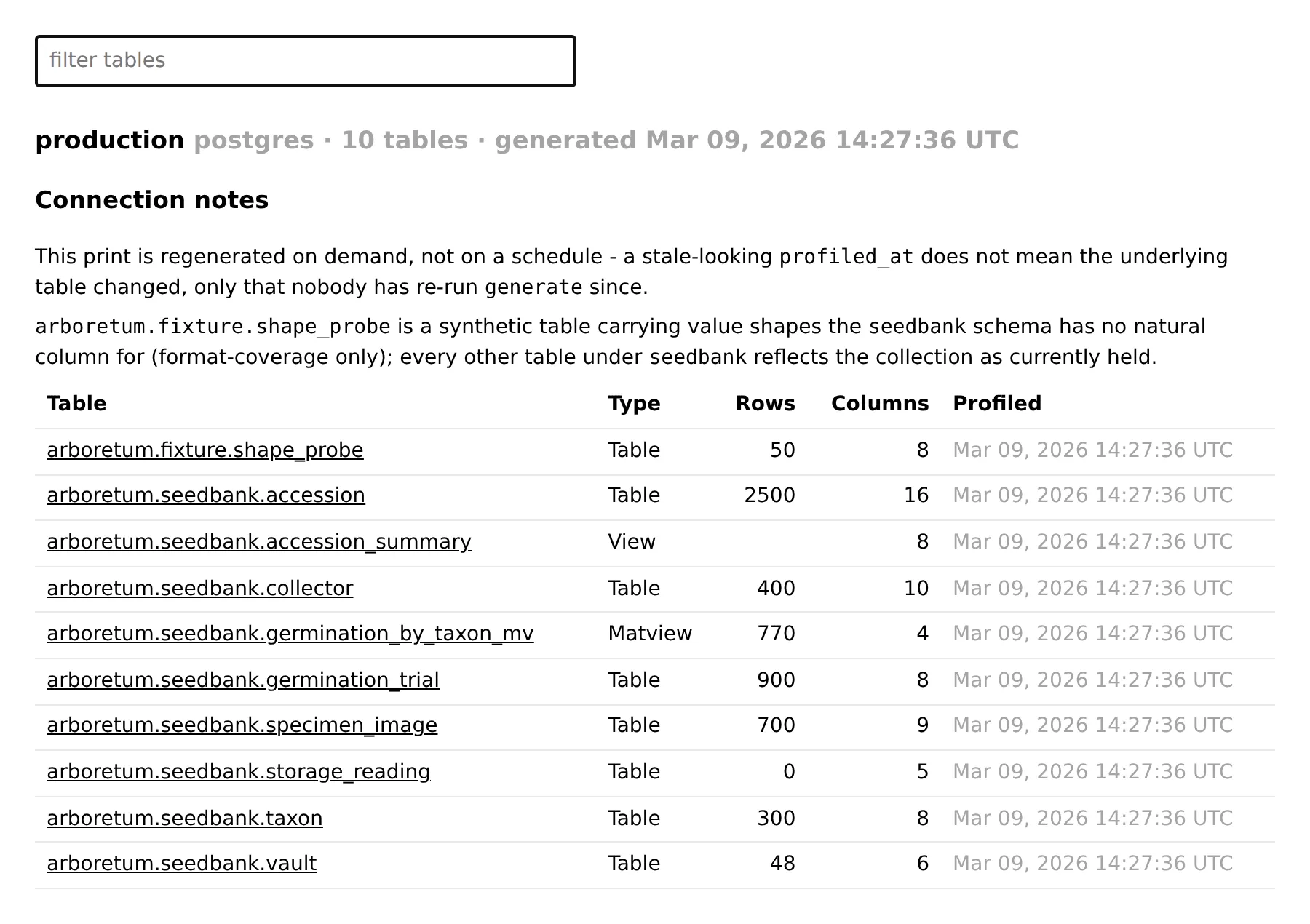
| Index | every connection served, its schemas, when each print was taken, and the connection's notes from manifest.annotations.yaml — every table page links to them |
| Schema | the tables in it, with row counts and column counts |
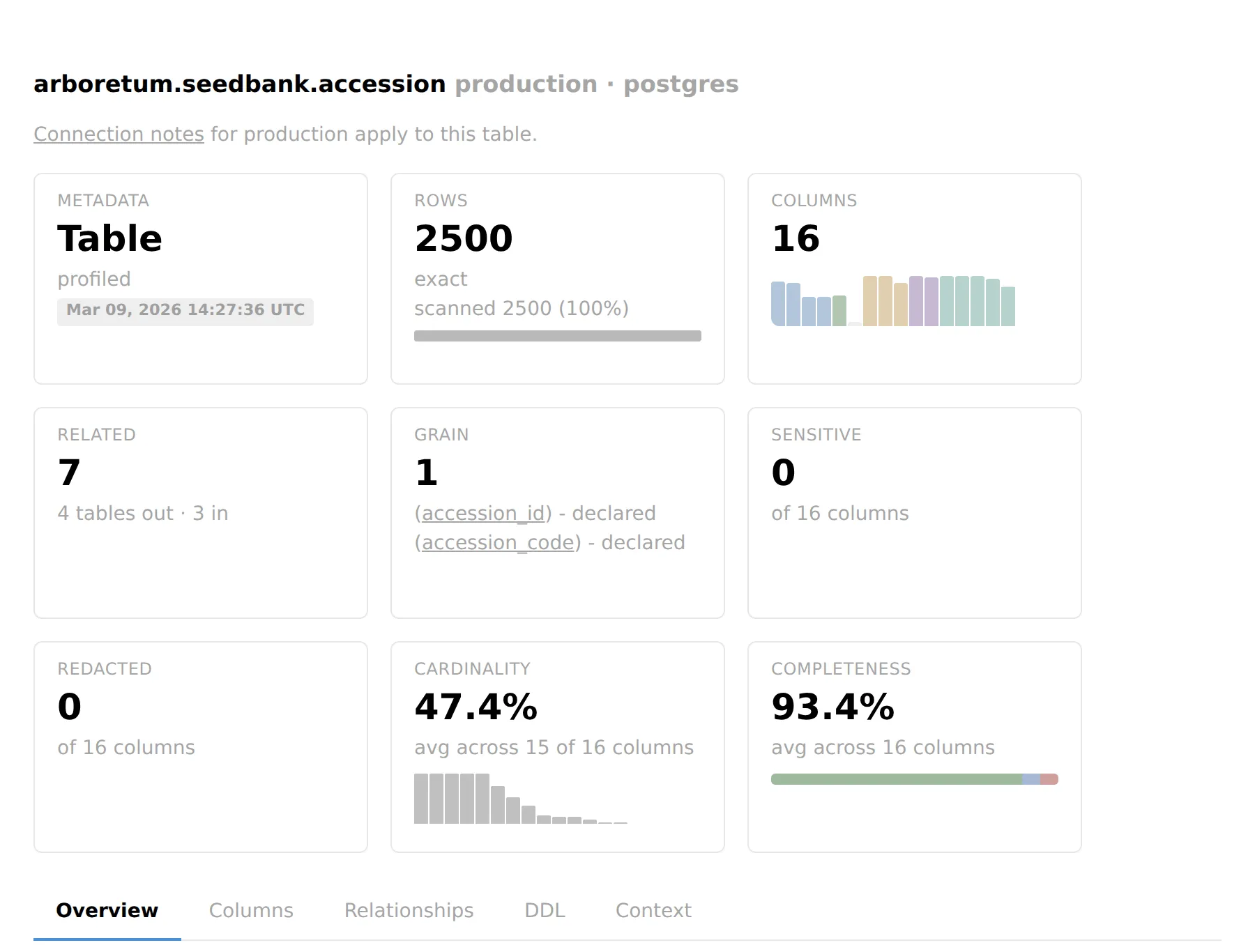
| Table | the full per-column surface, its relationships, and a diagram of the edges into and out of it |
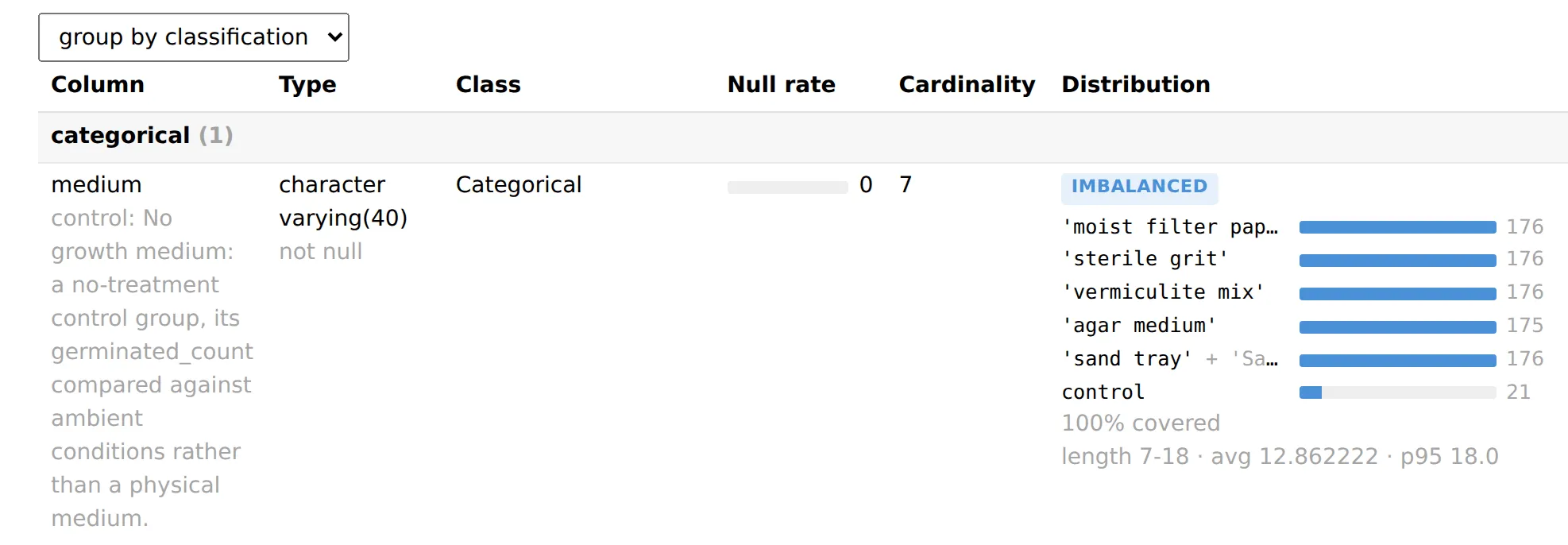
The table page is the one worth knowing. It carries what statistics.yaml carries — classification, null rate, cardinality, value lists, ranges, percentiles — beside the prose from that table's description.md and statistics.annotations.yaml, so a measurement and the note correcting it appear together rather than in two files. Value bars spell each value as dbprint context does — '' for an empty string, 'NULL' for the stored word, NULL only for a genuine null — and a drop-redacted column's bars read (value withheld). Descriptions and notes render as Markdown; raw HTML in them shows as text, and only web, mail and relative links are live.
Three banners can appear above everything else, and they are deliberately distinct because absence and corruption read differently: Missing: <kinds> names a declared artifact that isn't on disk; Unreadable: <kinds> names one that is on disk but malformed — it failed to parse, or is an annotation file that does not match its schema; a catalog-only notice explains that no query was issued at all, so cardinality is not measured on this page.
A measurement the file's disabled list names gets a block of its own, quoting the list and stating what is unknown because configuration switched it off for this table — an absent null-pattern table or timeline there is not a finding about the data.
Timeline and Depends on
Two sections in the overview panel read the newer per-table fields directly:
- Timeline — heading
Timeline - <column> by <unit>, the anchor column linked to its own row. The hedge states the bucketed share as a percentage that keeps one more decimal wherever rounding would land a partial share on0%or100%, so a coverage under 1.0 never reads100%. It also readsA missing bucket is a gap - no rows fell in that <unit>, so an absent row between two present ones is a real gap, not a rendering skip. The block only appears when the file carriestimelineat all — a scoped table or an empty one never shows it, since neither computed one. - Depends on — hedged
Catalog-derived, direct dependencies only - a different relation than a foreign key. Three states, and the page tells them apart: a non-empty list renders links to each object; an empty list rendersReads nothing else printed; the field omitted entirely (the producer could not ask) renders no section at all. The same names double as diagram edges, drawn with an open-circle head and a muted dashed style so a dependency edge can never be mistaken for a foreign key even without color.
The column table's degenerate census
Beside the null-rate bar, a column carrying zero_count, negative_count, non_finite_count or empty_count shows a dot-separated line — <n> zero, <n> negative, <n> non-finite, <n> empty — under the null figure. Each sub-count is gated on being truthy, so an explicit 0 renders nothing there, reading the same as a field the classification forbids or the run never measured. If you need to tell those apart, read statistics.yaml directly for that column.
Further down the same cell: mean/sum render as mean X · sum Y whenever either is present, each spelled as statistics.yaml spells it (positional, never an exponent). Every count on the page is its exact integer, never compacted to 10K. A redacted column carries neither, nor length or the degenerate counts above — a marked column publishes its count profile only — so its cell shows bounds withheld and the counts it keeps. A length block renders as length <min>-<max> · avg <avg> · p95 <p95>.
The relationships panel
Every edge gets a Detection badge with one of four verdicts: declared (a real foreign key), measured (proposed from two columns' own sketches, never a schema fact), inferred (a naming guess), or annotated (an edge a human added in relationships.annotations.yaml, listed on both tables it joins, with nothing measured behind it) — an edge carrying no detection at all reads as inferred, never defaulted upward. declared and measured are two different claims and the page never blurs them: a declared edge is a constraint the database enforces; a measured one is evidence the data happens to join cleanly today.
Detail beside the badge carries whatever the edge can state — on_delete, a constraint name, the annotation path for a human-added edge — and, where the observed join was measured, its fanout, target coverage and containment, or scopes not comparable when the two sides' scopes can't be compared at all. A verdict a human annotation rejected renders REJECTED by human annotation on both the referencing and the referenced side; one addressing a declared edge is void and renders nothing.
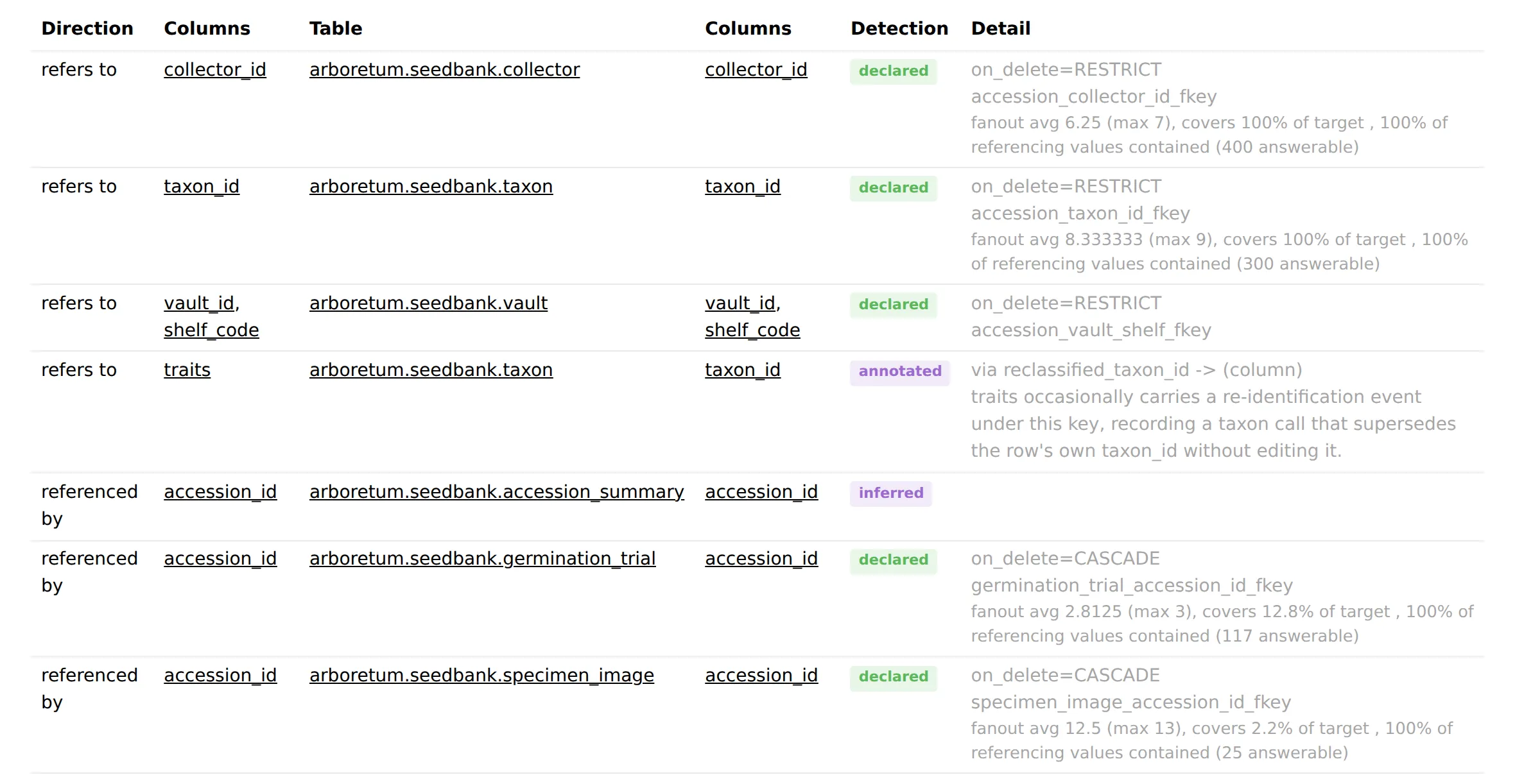
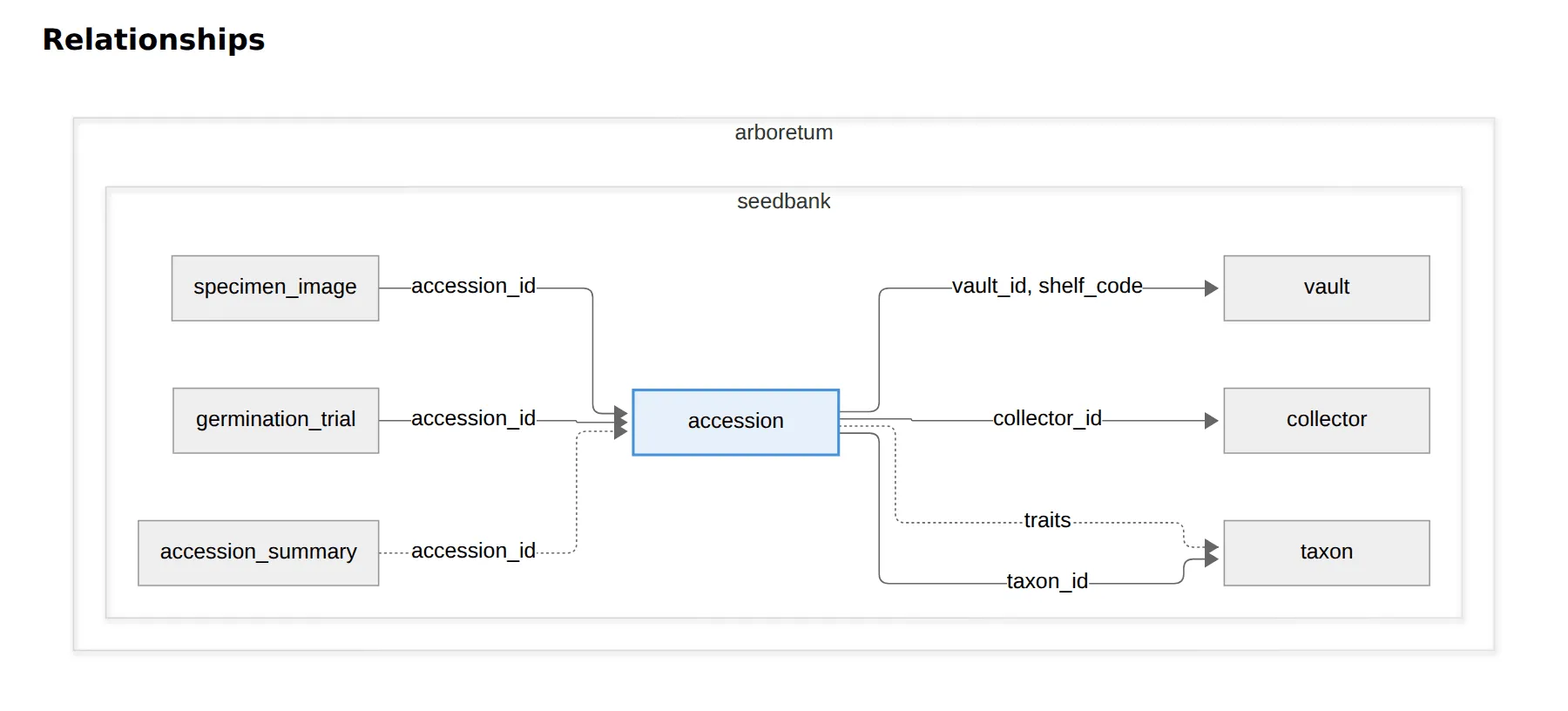
The Overview draws the same edges as a diagram around the current table: a solid line is declared, a thick one measured, and a dotted one inferred or annotated. A rejected edge stays on it, faded red. Every table in the print is a link to its own page.
What a catalog_only table shows
No query was issued, so the columns carry only catalog facts:
- The catalog-only banner renders at the top of the page.
- The related, data-through, sensitive, redacted, cardinality and completeness cards all vanish together — every one of them needs a query this table never ran.
- The rows card still shows the catalog's own row count, with no scanned-share line.
- The Overview still shows Description, Grain, Timeline, Depends on, Physical layout and Dependencies wherever the statistics file happens to carry them — a plain view is exactly where
depends_onis expected to be present. - The columns table still renders from the catalog-declared column list, with an empty null-rate figure and
n/acardinality on every row.
What a scoped table shows
A table read over part of its rows — a sample or a filter — describes the rows scanned, not the table:
- The rows card shows the scanned count and its share of the table's row count, with the sample or filter that narrowed it.
- Every claim one unread row could falsify carries
over the rows scanned: the data-through card's secondary line, a complete value list'scoveredline, a candidate key, and a freshness verdict. - Counts, ratios, percentiles and bounds carry no clause of their own; the rows card already names their population.
When a route fails to build
dbprint docs build writes every page it can and collects the routes it could not into a failed: <route> line on stderr, then exits 1. Each page is written the moment it renders, before the next route is attempted, and the static assets and marker file go down last, after every route has been tried — so a partial build still leaves every page that did render usable — a failure narrows what's on disk, it does not corrupt what's there.
Publishing it
To hand the site to people who will not install dbprint, build it as static files:
$ dbprint docs build --output dbprint-docsWrote 6 pages to dbprint-docsThe output is self-contained — no CDN, no network at render time — so it works from a file share, an artifact store, or any static host. A built page depends on the print alone: it names no directory on the machine that built it, and a table's profiled time is the date itself rather than an age that would go stale once published.
build writes a .dbprint-docs marker into the directory it creates, and refuses to recreate a directory that does not carry one unless you pass --force. That is the guard against pointing --output at a directory holding something else. Add the output directory to .gitignore: it is derived from the print, and the print is what you commit.
When to reach for this rather than the alternatives
Three surfaces read the same print, and they answer to different readers.
| Use | When |
|---|---|
dbprint docs | a human is exploring, or onboarding, and does not know what they are looking for yet |
dbprint context | a human or a pipeline needs a text fragment to paste into a prompt |
| the MCP server | an agent should fetch what it needs on its own — see giving a print to an agent |
The site is the only one of the three built for browsing. The other two produce text for something else to consume.