| ← / → | Previous / next page in the tree's order. In a text field or a date picker, they move through it instead, and after a click into a block wider than the page, they scroll that block |
| Alt+← / Alt+→ | Hide or show the tree / the outline |
| A double-click on the toolbar, outside its buttons and links | Hide the tree and the outline and turn full width on; again to put back the layout it replaced. Changing the tree, outline or width by hand forgets that layout, so a page maximized by hand goes back to the starting one - tree and outline shown, full width off. The tab keeps the layout to go back to through a reload and hands it to a tab opened from a link |
| + or =, - | Zoom a diagram, chart or image in the full-window viewer in, out |
| Arrows, drag | Pan a diagram, chart or image in the full-window viewer |
| Wheel | Zoom a diagram, chart or image in the full-window viewer about the pointer, and a map or model there; over a map or model on the page, scroll the page |
| Escape | Close the full-window viewer, a provenance or past-versions pop-up, an earlier-text panel, a filter's list of values, or a table's filter panel |
| A click into a column's filter, or ↓ / ↑ in it, then a click or Enter on a value | Open the column's list of values, move through it, and filter by the value chosen, written in quotes; Alt+click or Alt+Enter adds it after a | to the values already in the field and leaves the list open |
| A table's strip of filters | A click on and or or flips it; on a badge, edits its text in place until Enter, Escape or a click elsewhere; on its x, removes it. Dragging a badge moves it between the words; + adds a filter for a column chosen from its list |
| A table cell's filter button, top right while the pointer is on the cell | Filter the cell's column to its value, in quotes; with Alt, add the value after a | to the column's filter |
| The full-window viewer's X, top right | Close the viewer; a click anywhere else in it leaves it open |
| A click, Enter or Space on a table header, or a click on its sort button in the panel | Sort by that column alone; on the column sorted alone, again to reverse, a third time to go back to the order as written. With Alt, add the column as the sort's last level, or step the level it is to descending, then out of the sort |
| Opening a link in a new tab or window | The new tab starts with this tab's theme, width and panels |
| The toolbar's path button, right of the path, on a document's, data file's or folder's page | Copy the page's path in the served folder, . for the folder itself; with Shift, its absolute path. It shows a check for a moment |
| The toolbar's download button | Save the page as one self-contained HTML file |
| The toolbar's copy button, on a markdown or diagram page | Copy the document as markdown, as the page shows it: includes filled in, {value: ...} as its value, {table: ...} and a query's result as markdown tables, every table as its view sorts, filters and hides it, folded rows included; charts, diagrams, maps, models and frontmatter as written. A diagram file copies its source |
| The copy button below a block's ⓘ, while the pointer is level with the block, anywhere from the tree to the outline | Copy that block the same way; a heading copies its section, down to the next heading of its level or above, a quote loses one > level and an alert its marker. Code blocks, diagrams, charts, maps and models have their own copy instead, and rules none |
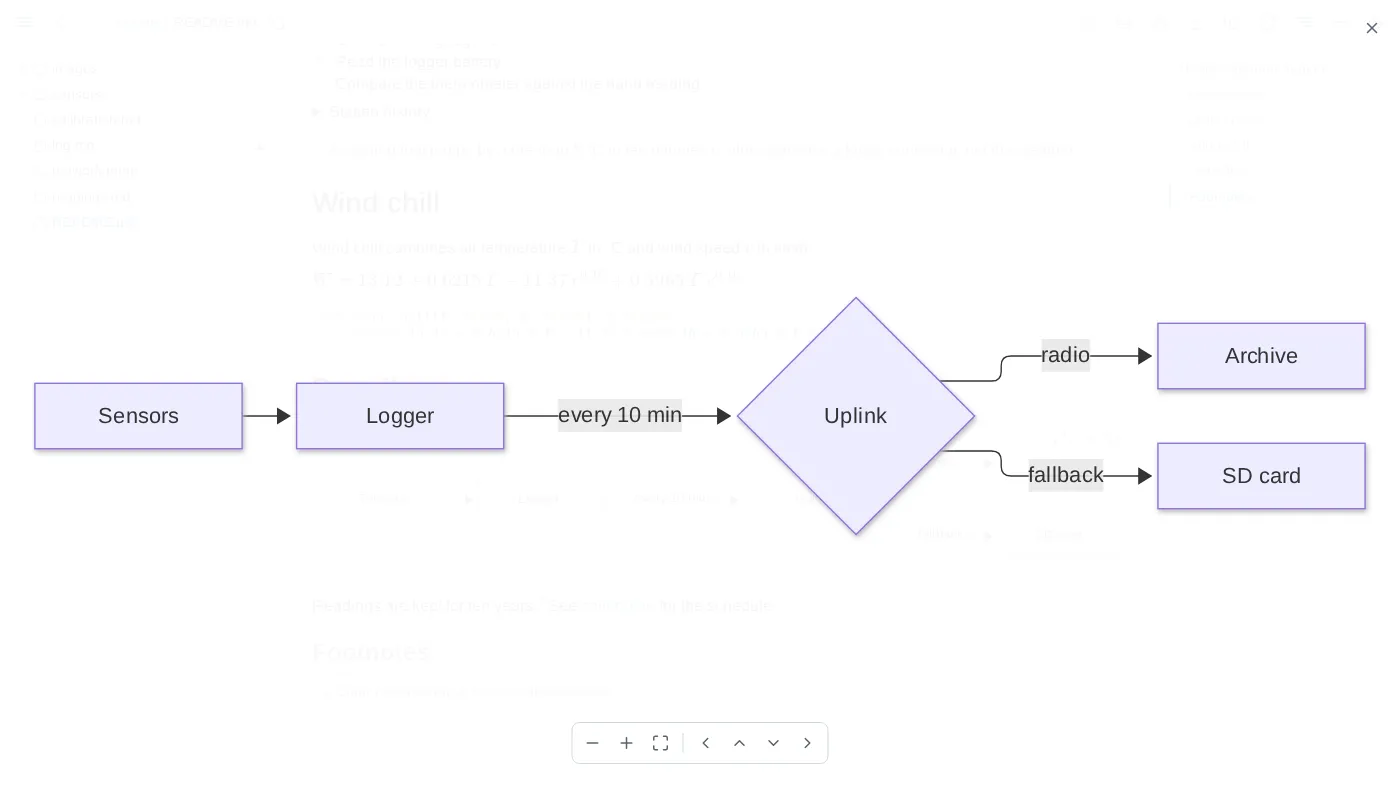
| A drawn diagram's, chart's, map's or model's corner, while the pointer is on it | A button opening it over the whole window, hidden while its source shows; a switch between the drawing and its source, which a save keeps showing; and a copy of the source. A diagram or chart opens in the full-window viewer filling the window; a map or model opens live, filling it, with its own controls, and keeps on the page the view it is left at |
| An image's corner, while the pointer is on it, unless the image is inside a link | A button opening it in the full-window viewer: an SVG fills the window, any other image is fitted to it and no larger than its own size |
| A code block's copy button, in its top-right corner while the pointer is on the block | Copy the code as shown, includes filled in, without its fences or final line break |