Start here
From nothing to an agent answering a message. Ten minutes, most of it the first image build.
One prerequisite you have to supply
Podman or Docker. The installer neither installs a container runtime nor checks that you have one, and nothing works without it. Install one first, and for podman confirm rootless mode works:
podman infoAlso needed, and almost certainly already present: git and bash. Python and Node are handled for
you - the installer fetches them through uv and nvm if they are missing.
Install
curl -LsSf https://raw.githubusercontent.com/jakubro/claudebox/main/bin/install.sh | bashFor Docker instead of Podman:
CLAUDEBOX_BACKEND=docker curl -LsSf https://raw.githubusercontent.com/jakubro/claudebox/main/bin/install.sh | bashThis clones the library, builds the frontend and the container image, installs the claudebox CLI
and the claudeboxd daemon, registers the daemon as a user service, and adds a timer that keeps
the image current.
The image is built in layers, and the first build is the slow one - expect five to fifteen minutes depending on network and CPU. Later runs reuse the cache.
Authenticate, once
claudebox runThe first launch opens the agent's own terminal interface, where you log in. Credentials persist afterwards - per project when that project has a workspace marker, globally when it does not.
Open the interface
https://localhost:41820Your browser will warn about the certificate. That is expected: the daemon sits behind Caddy with a self-signed certificate. Accept it once per browser and it stays accepted.
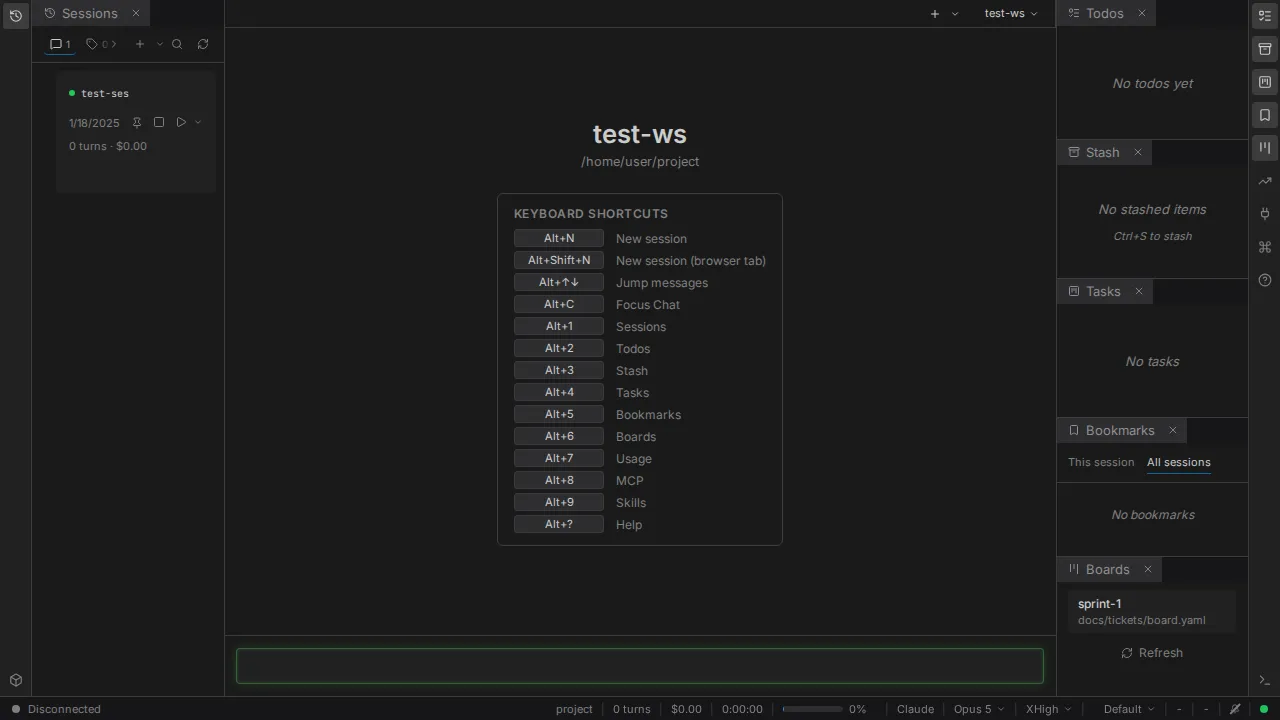
If nothing is served, the daemon is not running. Under systemd it was installed as a user service;
without systemd - on macOS, for instance - start it yourself with claudeboxd.
Send the first message
Type into the box at the bottom and press Enter. That creates a session, starts its container,
and sends your message as its first turn.
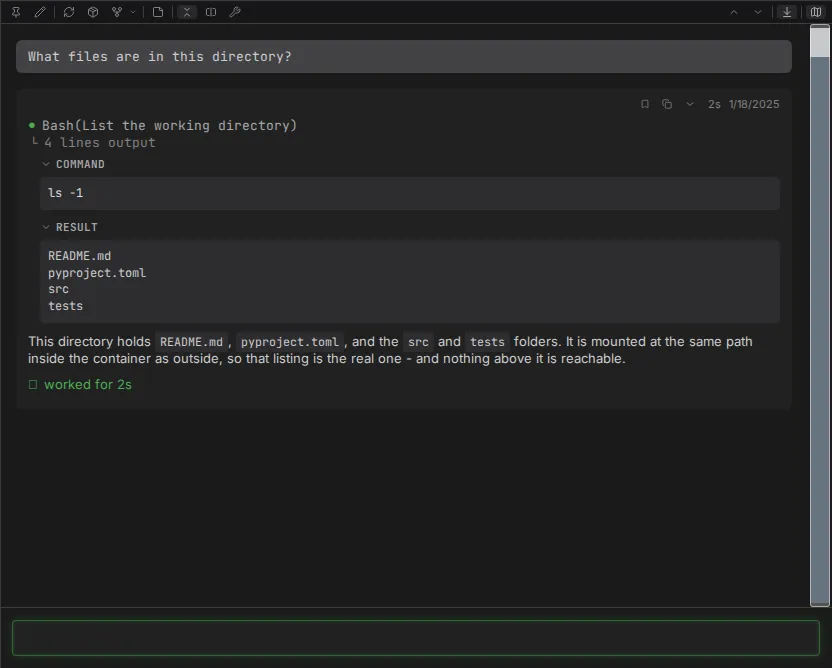
Ask it something that touches the filesystem, because that is what shows you the isolation is real:
What files are in this directory?The reply lists your working directory. That directory is mounted into the container at the same path it has outside, so the agent reads and writes the real thing - and nothing above it.
Where it all went
Everything for the session is on disk, under ~/.claudebox/ by default:
| Path | Contents |
|---|---|
~/.claudebox/sessions/ | One directory per session - events, logs, state |
~/.claudebox/settings.toml | Your settings |
~/.claudebox/profile/ | The profile the installer copied for you |
~/.claudebox/logs/ | Daemon logs |
To keep one project's sessions out of another's, touch .workspace in the project root and
everything moves under {project}/.claudebox/ instead. That is the
workspaces guide.
Next
- Chat - what the interface gives you that a terminal does not
- Profiles - the prompt, hooks and skills your agent runs with
- Configuration - mounts, ports, environment, editor integration
- Troubleshooting - if any step above did not go as written